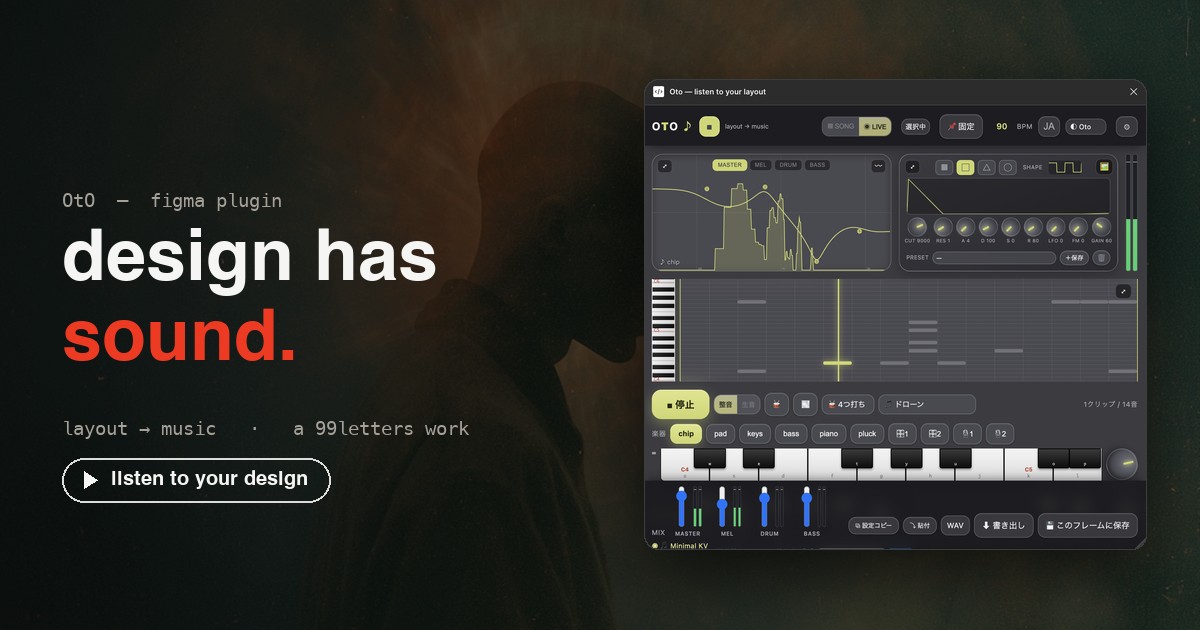
Not composing, but discovering — OtO
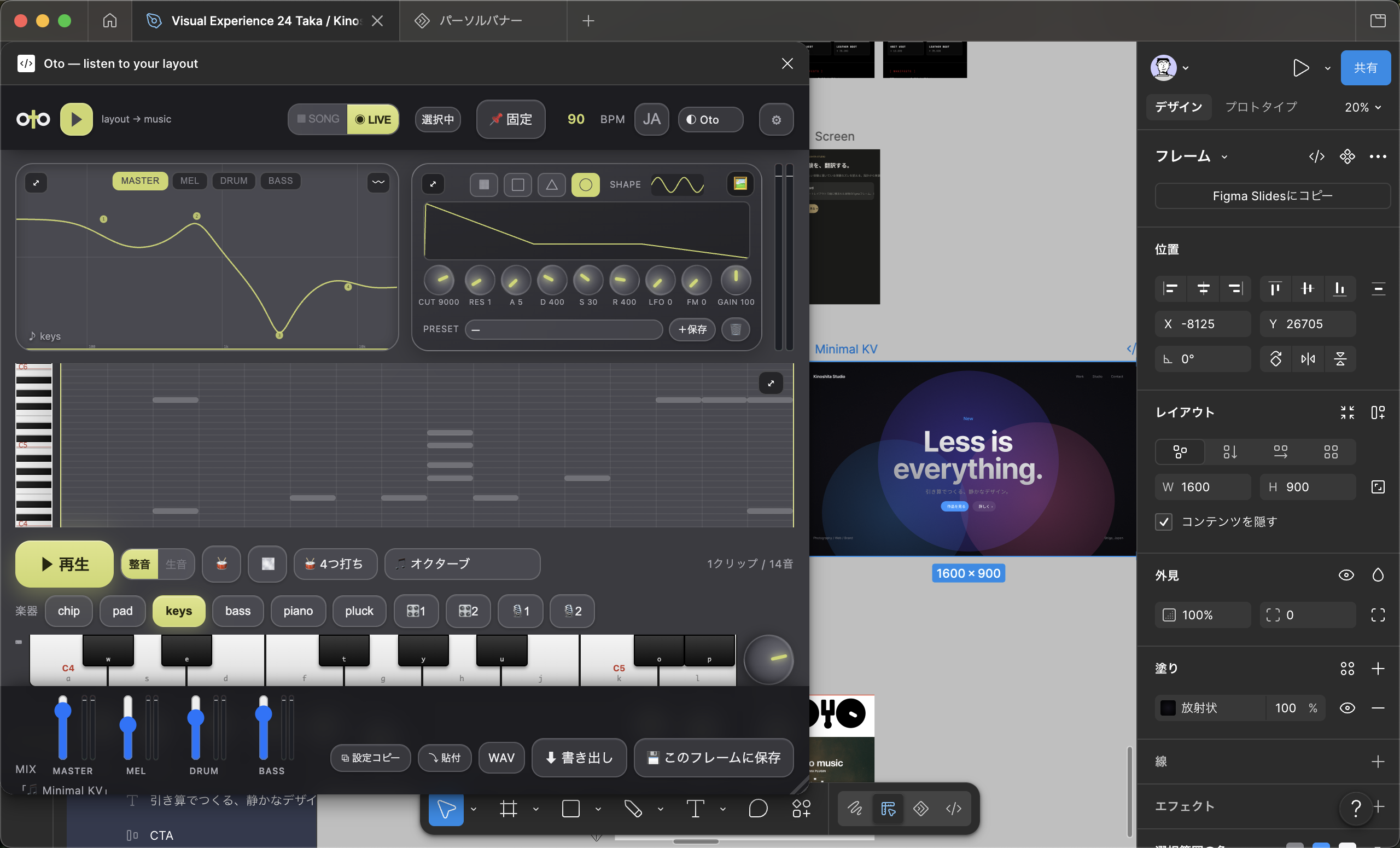
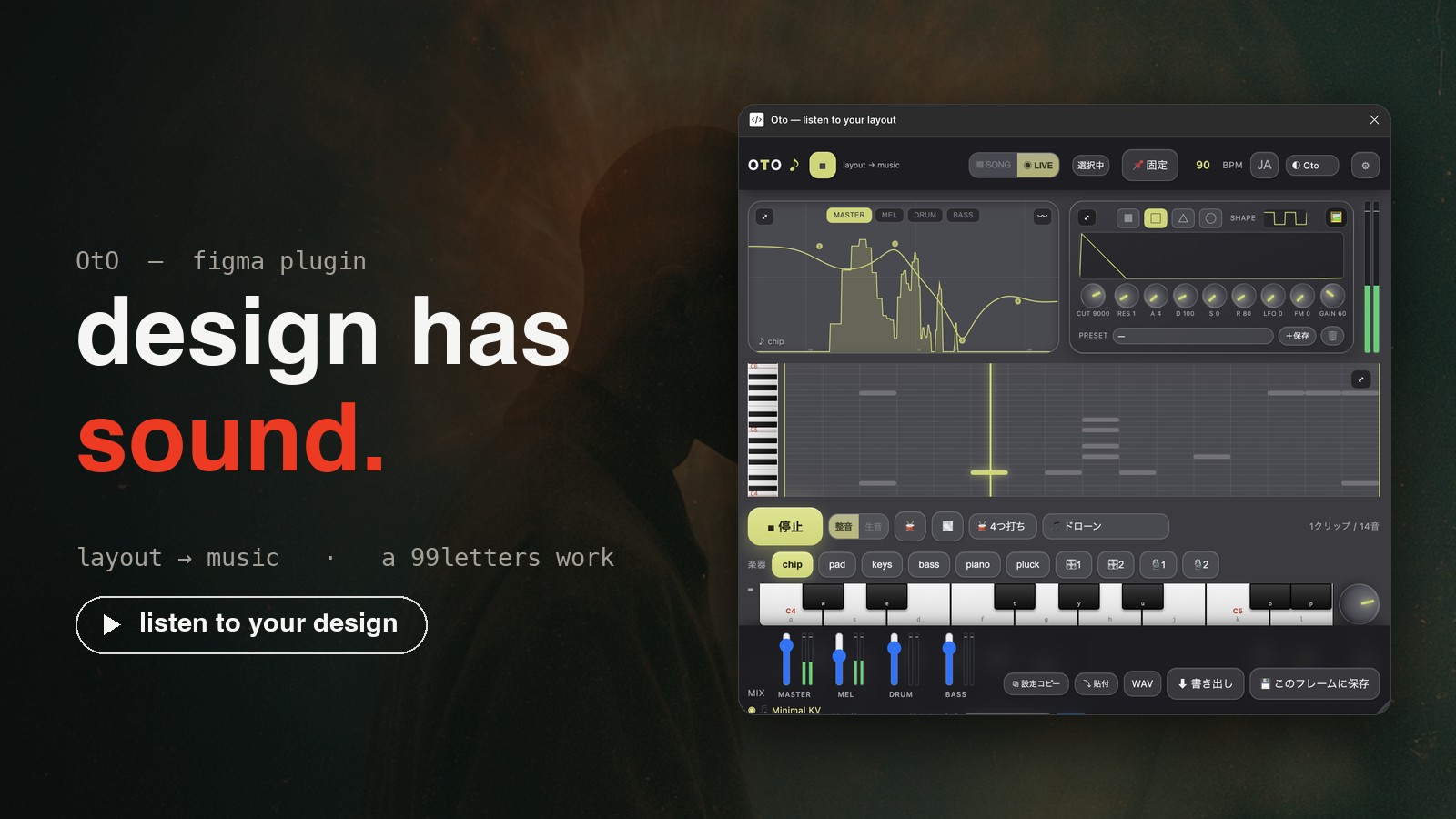
OtO is a plugin that translates a Figma layout's placement directly into music. Not "composition software." It's an instrument for translating and "discovering" the sound hidden in your design from the start. Horizontal = time, vertical = pitch, size = volume, whitespace = rest. People decide, AI translates — the philosophy of working techno artist 99letters, turned straight into code. Submitted to Figma Community in July 2026.
Not composing, but discovering
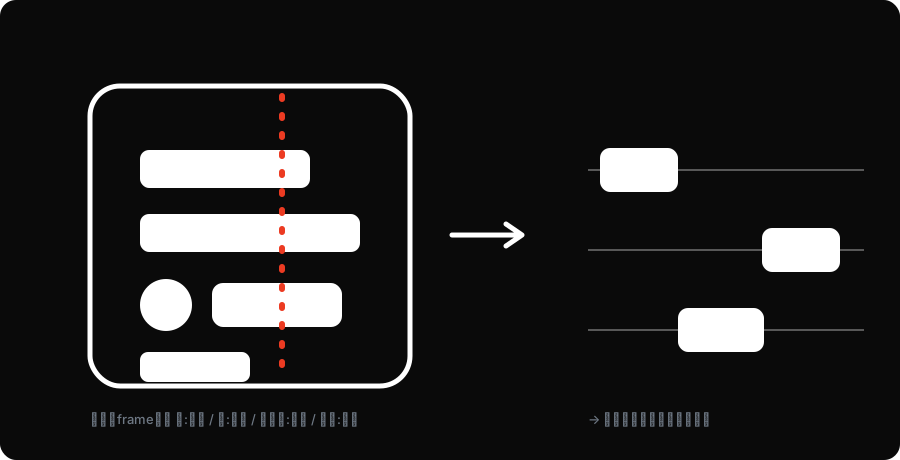
You don't open a separate UI and punch in notes. It reads the "placement" of the frame you chose and turns it into sound. Without trying to make a song, the layout was singing all along. OtO merely translates it and reveals it. Not "made on purpose" but "there from the start" — this single line separates OtO from a mere MIDI tool.
Tuned and Raw — two kinds of honesty
The same single design has two faces. Tuned = a "song" placed on a scale and quantized to a grid — pleasant to anyone, the face you hand over. Raw = the microtones of the raw Y coordinates, unrounded. The raw pulse of the blueprint before it's tidied; it exposes even the distorted moments. That honesty is the core of discovery. Ordered, it's clear; scattered, it's muddy — you can hear a layout's "noisiness."

The board is the score
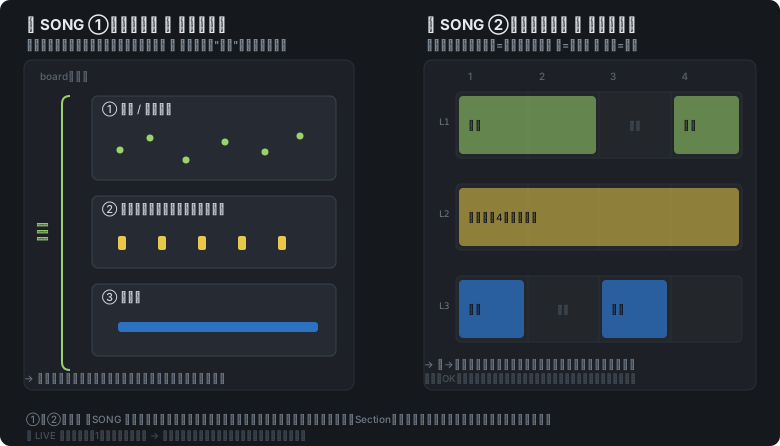
Horizontal = progression, vertical = simultaneous tracks, ◉ = select and trigger. Without building a separate UI, the very placement on the Figma board becomes the score. Arranging the board is arranging the song. With ▦ SONG you line up several frames and stack melody, drums and bass vertically. With ◉ LIVE you switch and perform on the spot.
The fewer the notes, the more beautiful
The fewer the notes, the more beautiful — design and music are the same. Whitespace = rest. The more minimal the design, the fewer and cleaner the notes. This is continuous with Kinoshita Studio's BIWAKO SILENCE. The aesthetic of subtraction becomes, directly, the sparseness of sound. With note-count control you can lean toward true "quiet."
Try to stop tidying.
That "strangeness" is the truth of the design.
A real DAW, inside Figma
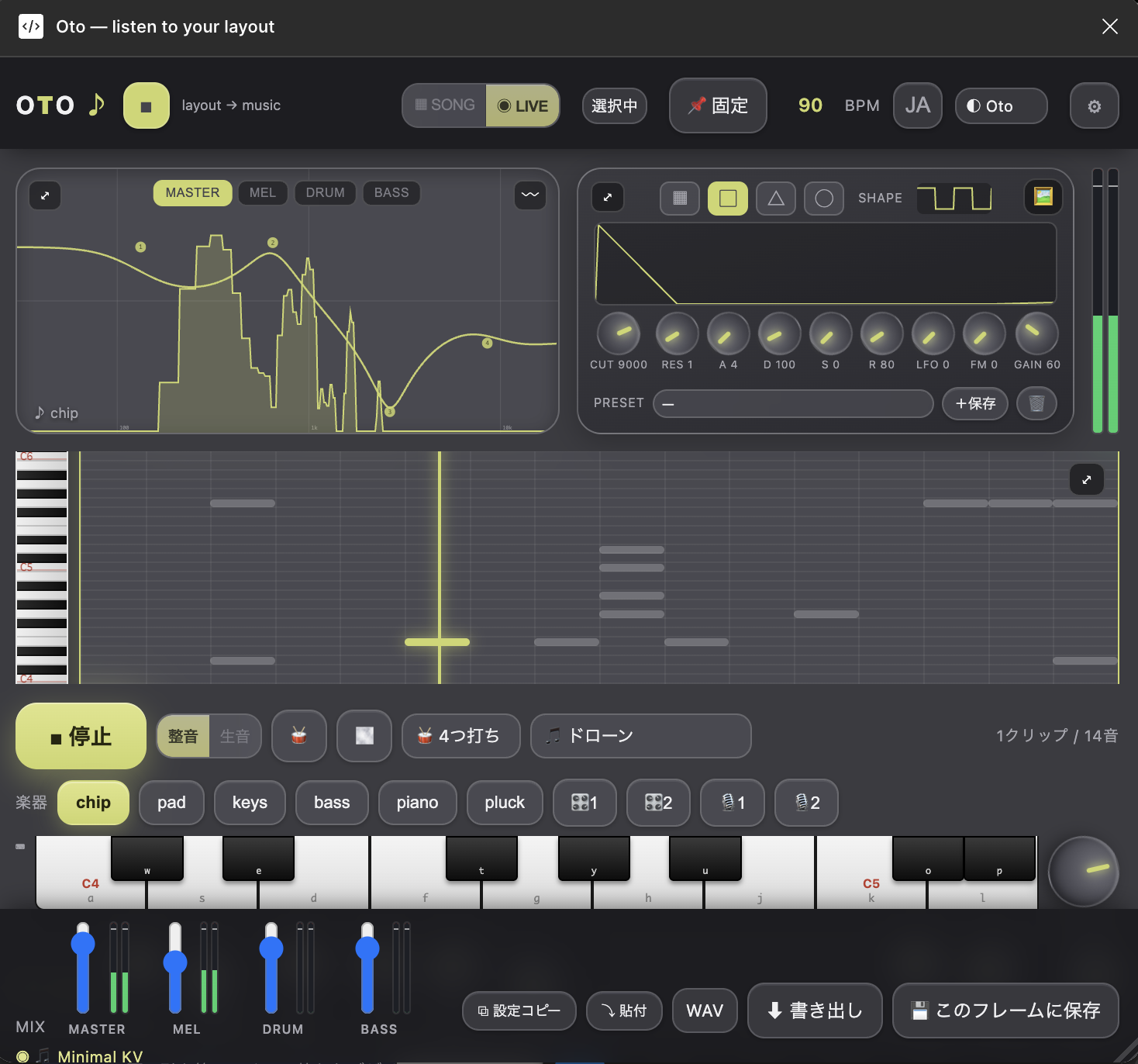
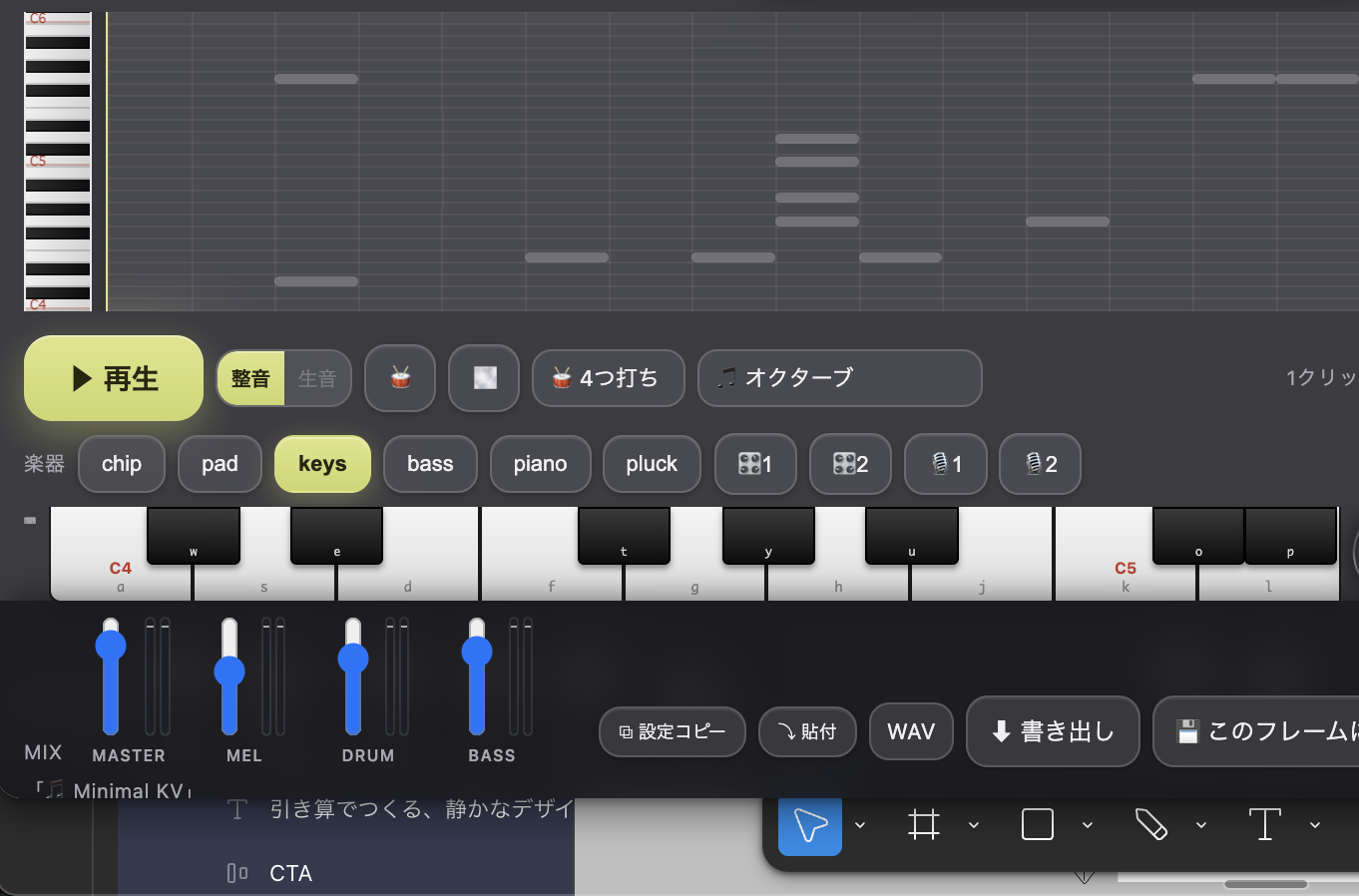
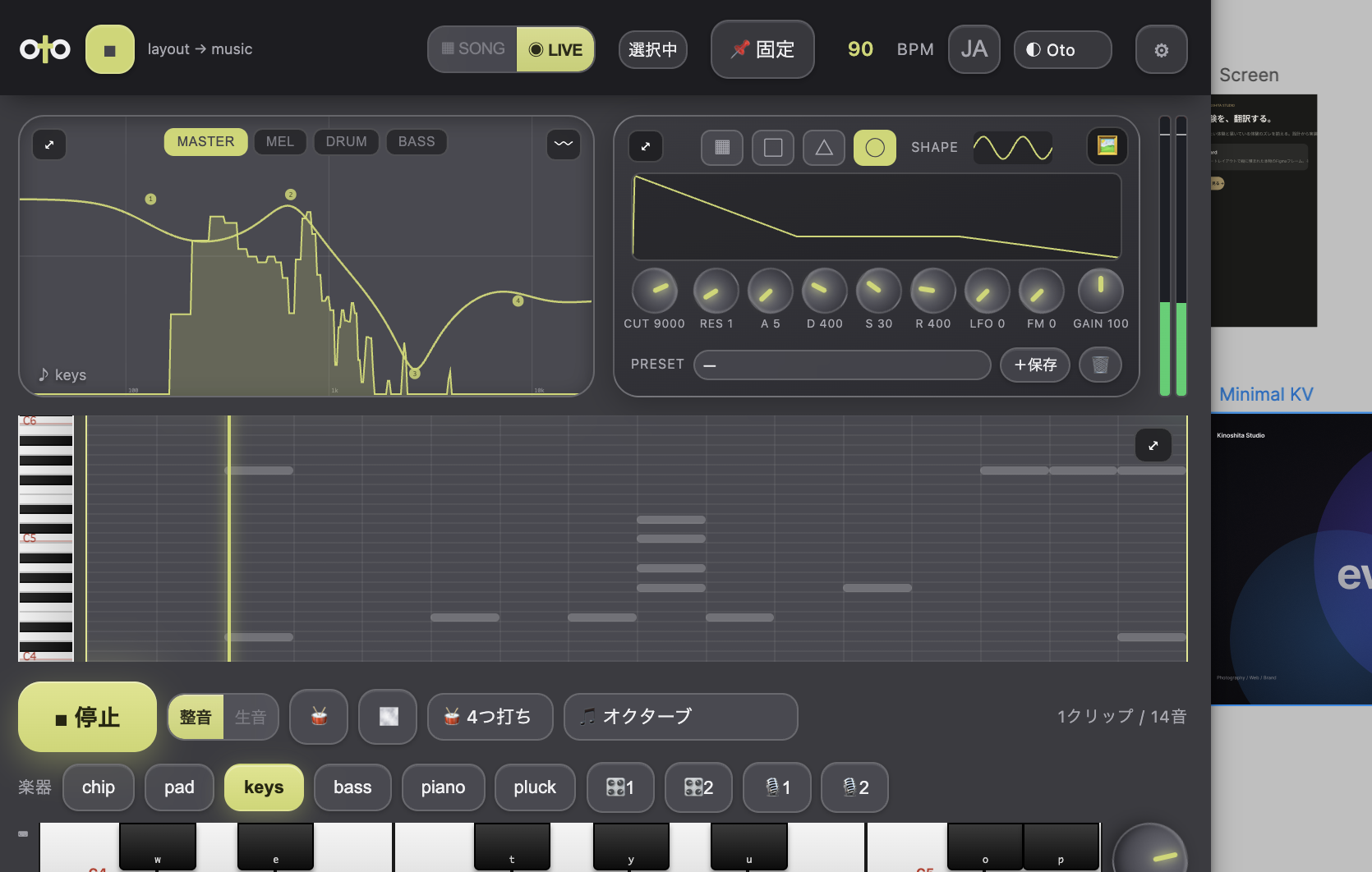
It doesn't end as a toy. Three playback modes, two custom synths, two samplers, a multiband EQ, meters, sidechain and WAV/MP3 export — a whole real DAW packed into a plugin. Every instrument can be carved down to its timbre, pushed with the EQ, and any sample you like can play the melody. The depth keeps it from being a "toy." Territory that a few years ago needed a team of audio engineers, in a single plugin.
It plays in just three steps
Behind the depth, the entrance is endlessly light. 1. Pick a frame → 2. Press ▶ → 3. It plays. No music knowledge, no note entry. Select, press. That's all it takes for the design to start singing. A waveform runs across the top bar and that frame's image floats on the right — that is the sound of your design. The guide and the world are already published on the site.
Read it back and it's still OtO — the palindrome logo
The logo is O·t·O. A left-right symmetric palindrome — read right to left or left to right, it's still "OtO." This is the product's very core — the fact that translation flows both ways, layout ⇄ music, made into form. The Os at each end are rings, the t in the middle a cross. A monochrome monogram built from bold geometric shapes alone works with the same strength as a tiny favicon or a large key art. The more you strip decoration, the fewer the notes, the more beautiful — OtO's philosophy runs through the mark too.

The final difference is the ear, not features
Two banners: 〈kinoshita studio〉 of quiet and whitespace, and 〈99letters〉 the working techno artist. Only someone who has done both design and music in earnest can make this. A feature table can be matched, but what tells in the end is the ear. People decide, AI translates — exactly as in the signature work "Translation Performance." That is this product's moat.
your design is already singing.
It has been singing all along.
Today OtO may look like "a plugin that turns layout into sound." But its core is to hand designers the power to not drown in sound — to choose, and to play. Being able to make things has become a given. What's asked next is whether you can run "an artist's ear" through it — OtO is one example of that.
* OtO was submitted to Figma Community in July 2026 and will be public after review. The LP, guide and world are already live.